


TL;DR: We opened 30 real HVAC company websites on October 23, 2026 and saved a screenshot of what each one shows before you scroll. Every one of the 30 puts a booking or estimate button in that first screen, 29 show a phone number, and 18 show a star rating with a review count. The best ones also make one clear promise (a guarantee, upfront pricing, a response time) and use real photos of their own techs and trucks. Below are all 30, grouped by what they do best, with one idea to copy from each, plus a checklist and a plan for fixing your own site.
A note before you start: these are homepages of real heating and air conditioning companies, from single-metro companies to national franchises. Most are large, well-reviewed brands, but nearly every idea below costs little to copy on a smaller company’s site. Many also do plumbing and electrical work, which is normal for HVAC companies of this size. We don’t know their call or booking numbers, so this list is about what you can see and copy, not about whose site converts best. Nobody paid to be included.
What 30 HVAC homepages show before you scroll
For each site we looked at the first screen on a 1440 x 900 desktop window and counted what was there. We also loaded each homepage as an iPhone 13 and scrolled down: on 27 of the 29 sites we could test, a call or booking button stayed on screen (Frymire’s site blocked our phone test).
Chart: what the first desktop screen of 30 HVAC company homepages shows, counted from our screenshots on October 23, 2026. The scheduler count is a minimum: we counted pages that load ServiceTitan’s scheduler script.
Three things stand out:
- Booking and phone are the floor, not a feature. All 30 offer a booking or estimate button and 29 of 30 show the number. If your site makes people hunt for either, that is the first thing to fix.
- A real review count beats “5-star service”. 18 sites show a review count on the first screen, and every star rating among them is between 4.7 and 4.9. The other 12 show no rating there, or only a “read our reviews” link.
- Many tie booking to their field software. 15 load ServiceTitan’s online scheduler script on the homepage; ServiceTitan ServiceTitan says lets customers book jobs on a contractor’s website, social channels or Google (ServiceTitan, 2024). Housecall Pro and Jobber offer their own booking widgets, so you don’t need ServiceTitan to do this.
Sites that make booking the main event
These six make it fast to get on the schedule, at any hour, without calling.
Haller Enterprises (central and eastern Pennsylvania)
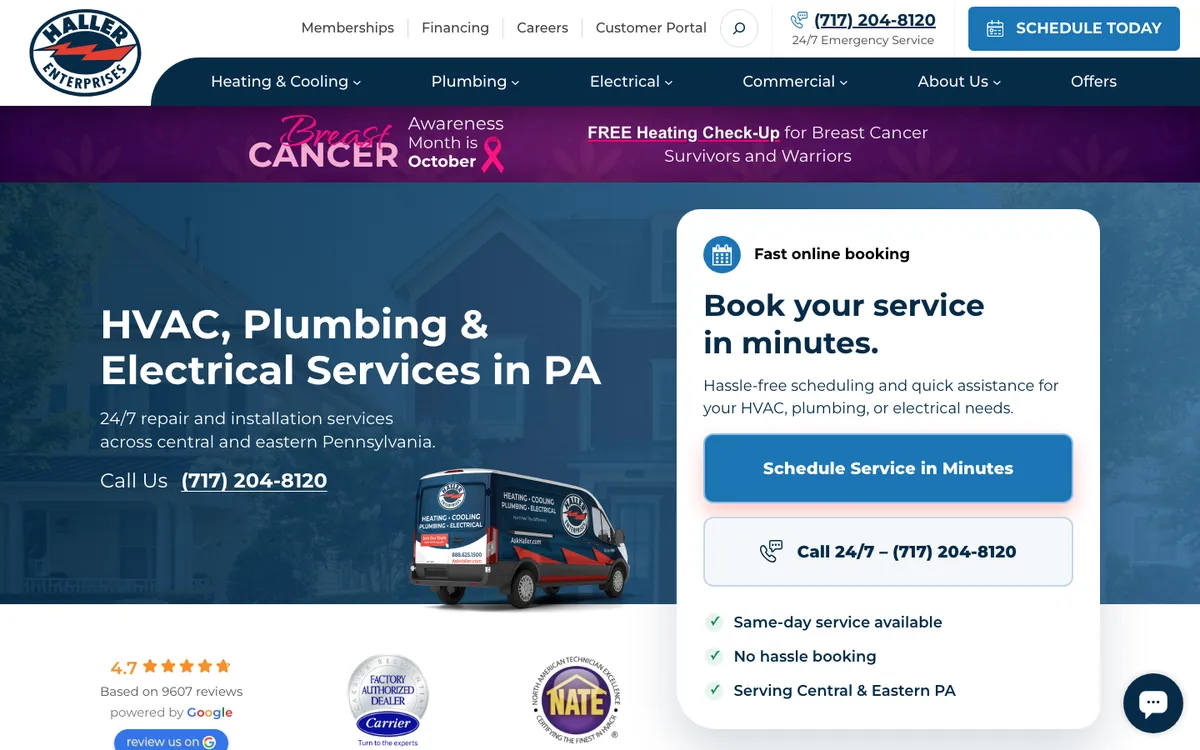
What works: The hero has a white card titled “Book your service in minutes.” with two buttons: “Schedule Service in Minutes” and “Call 24/7”. Below it are three short promises (same-day service, no hassle booking, the service area) and the Google rating, 4.7 from 9,607 reviews.
Copy this: Put the booking choice in a card that looks like a form, not in a banner. Two big buttons in a white card are easy to spot and easy to tap on a phone.
Reliable Heating & Air (Atlanta area, Georgia)
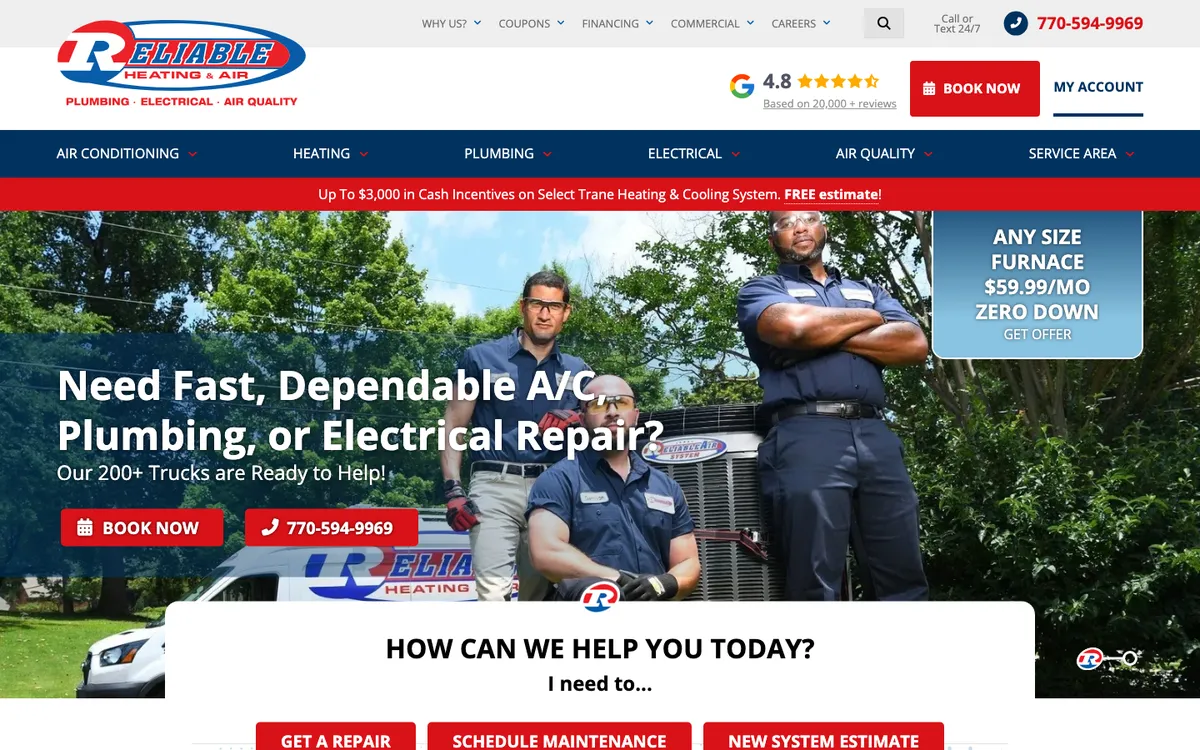
What works: Under the headline (“Our 200+ Trucks are Ready to Help!”) sits a box that says “I need to…” with three buttons: get a repair, schedule maintenance, new system estimate. Each visitor picks their own job type, so the office knows what the call is about before anyone picks up.
Copy this: Split your main button by job type. A repair customer and a replacement shopper need different next steps.
Isaac Heating & Air Conditioning (Rochester, Buffalo and Syracuse, New York)
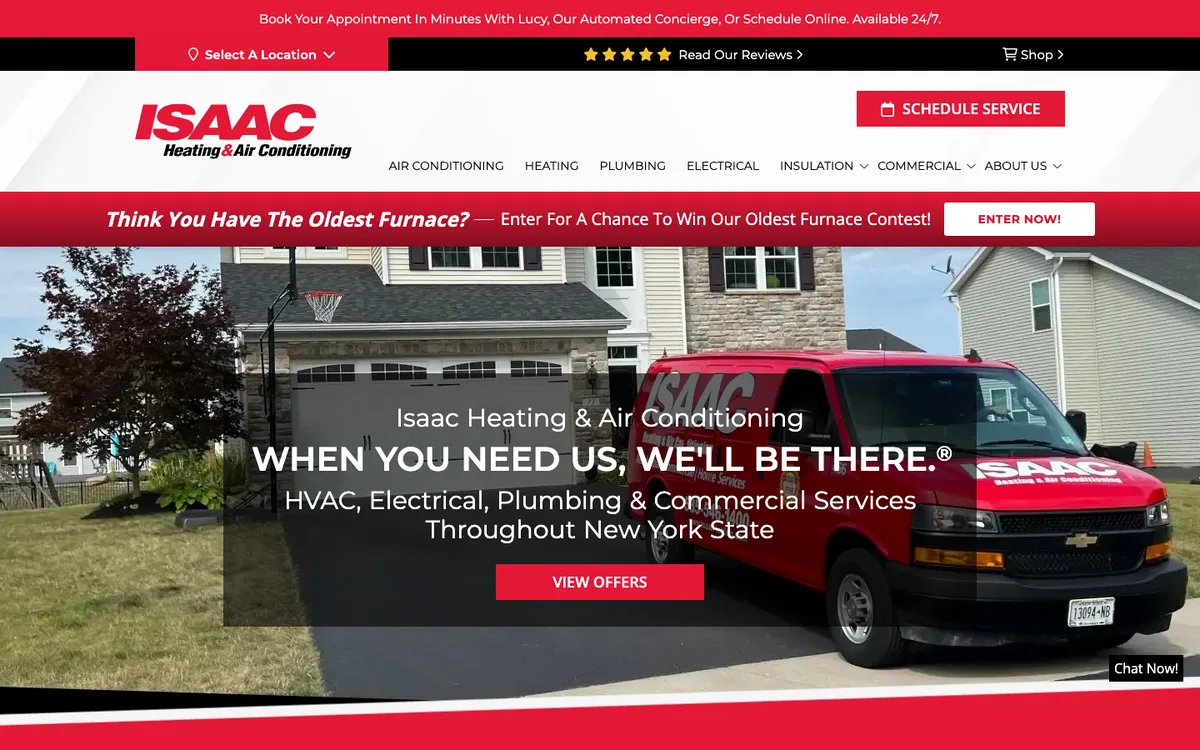
What works: The top bar says “Book Your Appointment In Minutes With Lucy, Our Automated Concierge, Or Schedule Online. Available 24/7.” Giving the booking assistant a name makes an automated tool feel like part of the team. One miss: there is no phone number on the first desktop screen.
Copy this: If you add an AI or online booking assistant, say plainly that it works 24/7. Keep the phone number visible too.
Day & Night (Phoenix, Arizona)
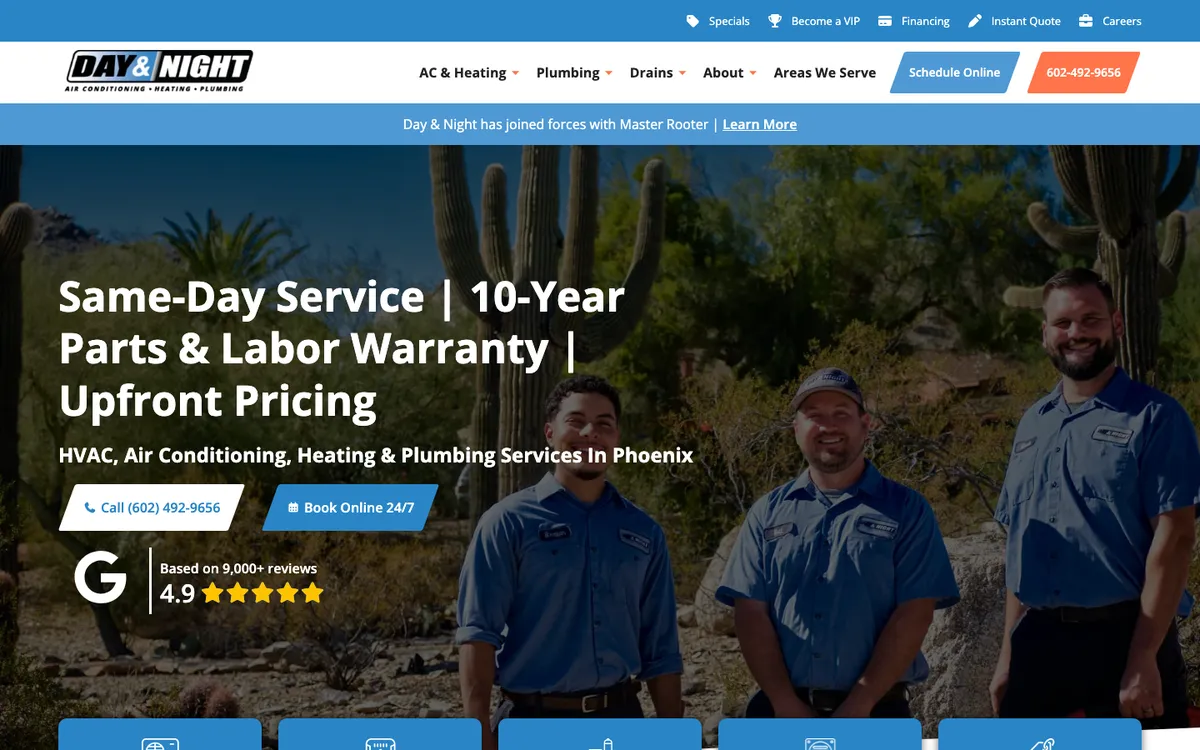
What works: The headline is three promises in a row: “Same-Day Service | 10-Year Parts & Labor Warranty | Upfront Pricing”. Below are two buttons, a call button and “Book Online 24/7”, then a Google badge (4.9, 9,000+ reviews). The top bar adds an “Instant Quote” link.
Copy this: Use your headline for the three things customers ask about most: how fast, how long it is covered, and what it costs.
Atlas Butler (Columbus, Ohio)
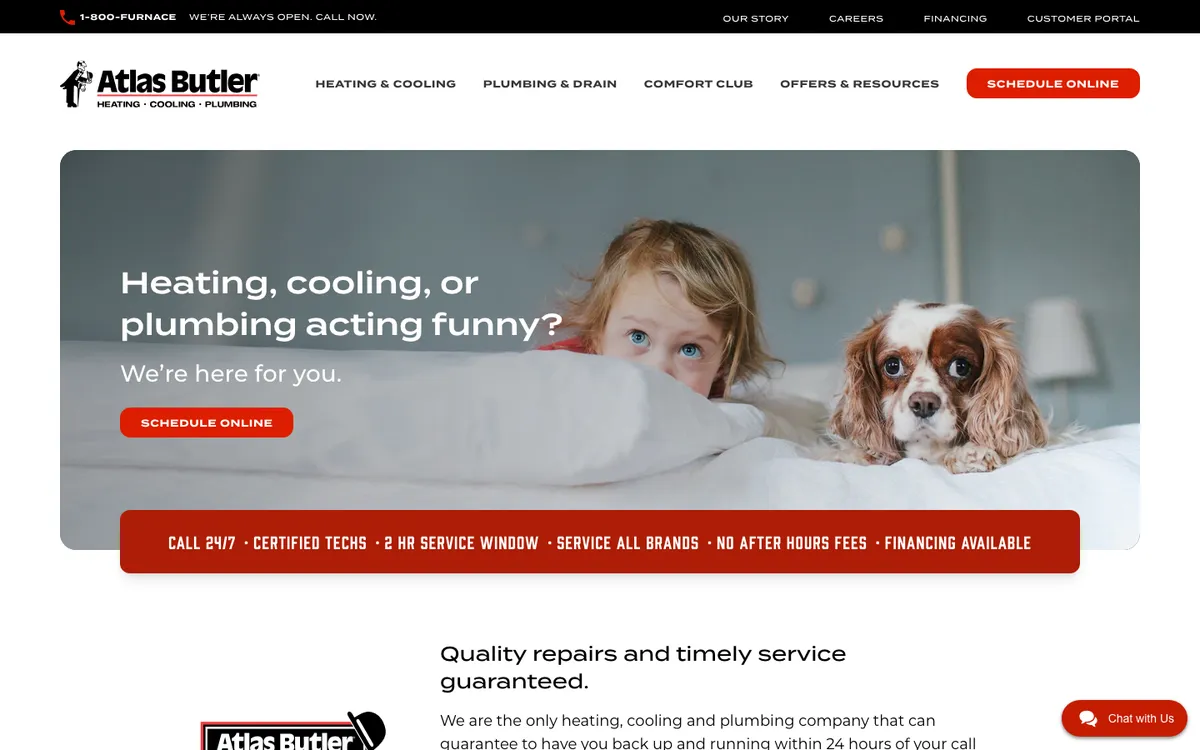
What works: A friendly hero (“Heating, cooling, or plumbing acting funny?”) with one button, then a red strip that lists the details: call 24/7, certified techs, a 2-hour service window, all brands, no after-hours fees, financing. The page backs it with a specific pledge: back up and running within 24 hours of your call “more than 95% of the time.”
Copy this: A promise with a number in it (a 2-hour window, 24 hours, 95%) is easier to believe than “fast service”.
Fuse Service (San Jose, California)
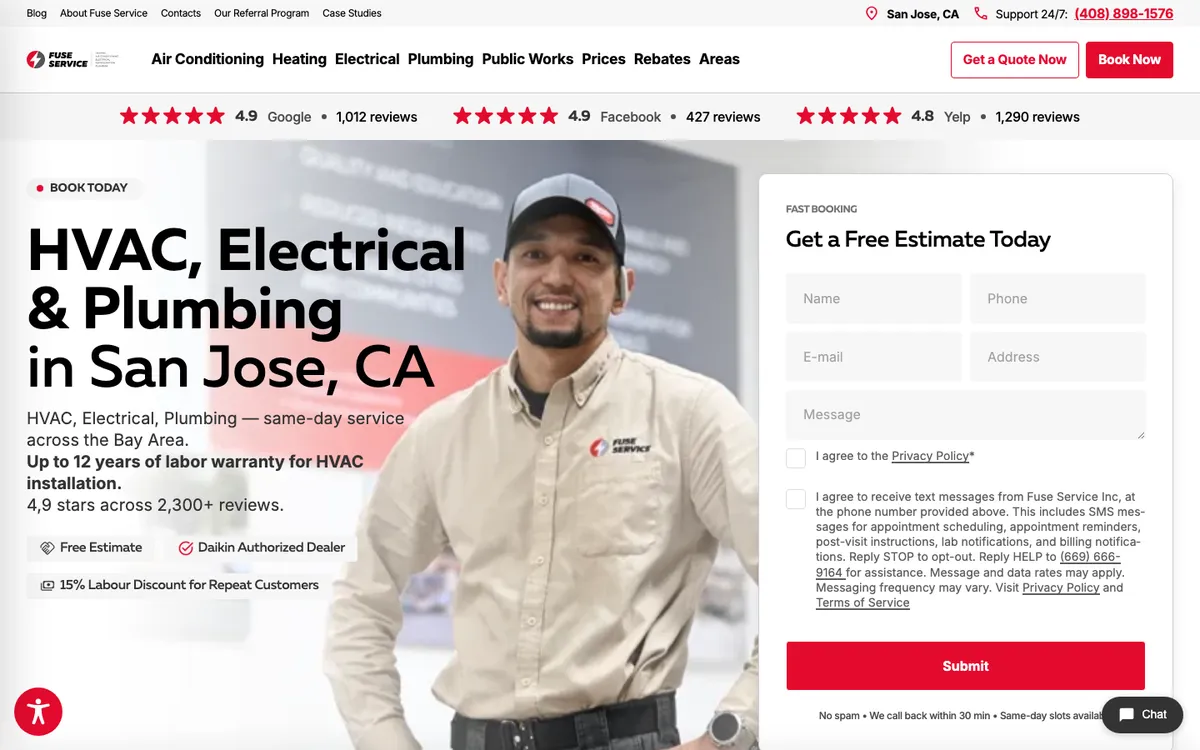
What works: A rating bar runs across the top with three sources: Google 4.9 (1,012 reviews), Facebook 4.9 (427) and Yelp 4.8 (1,290). The hero has an estimate form with a line under the button that answers the worry before it starts: “No spam • We call back within 30 min • Same-day slots available”.
Copy this: Under any form, write what happens next and how fast. It removes the reason to leave the page and call a competitor.
Sites that lead with reviews and proof
These six put numbers on the first screen that a homeowner can check.
One Hour Heating & Air Conditioning (national franchise)
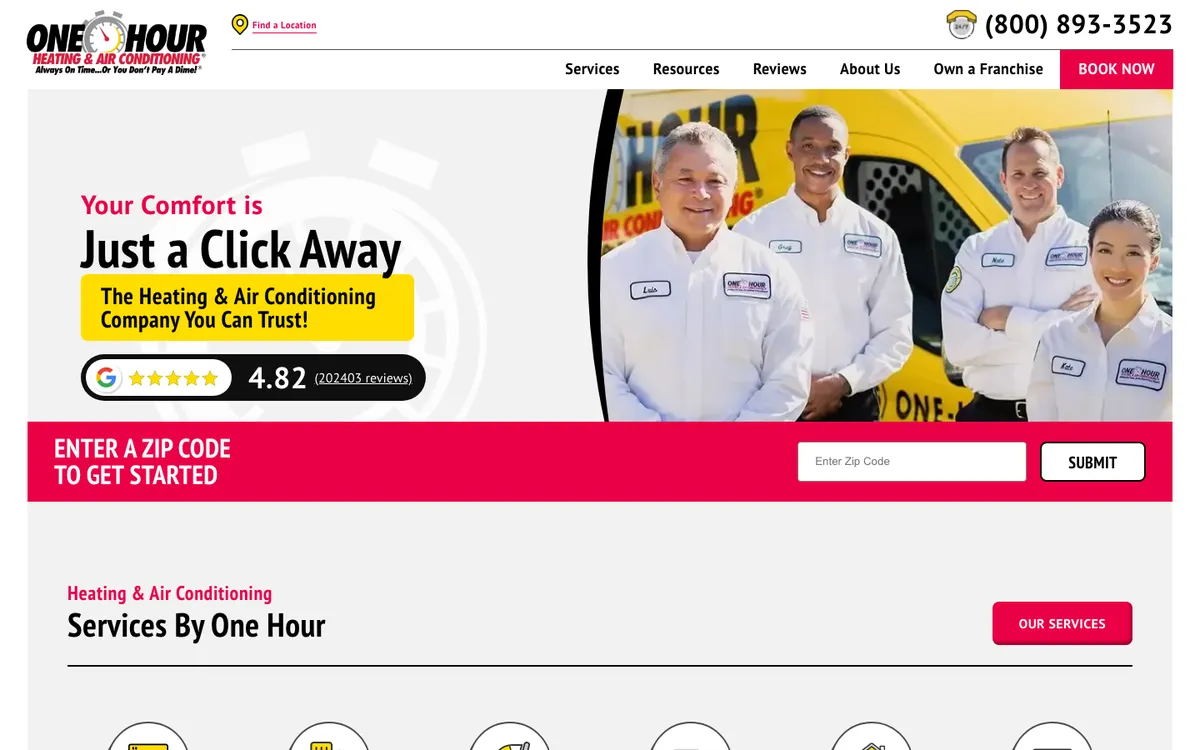
What works: The Google rating, 4.82 from 202,403 reviews, sits right under the headline in a black pill. The next band is a single field: “Enter a zip code to get started.” For a franchise with many locations, the zip code box routes each visitor to the right local office in one step.
Copy this: Put your rating and review count next to the headline, not in the footer. If you have more than one office, ask for the zip code first.
Morris-Jenkins (Charlotte, North Carolina)
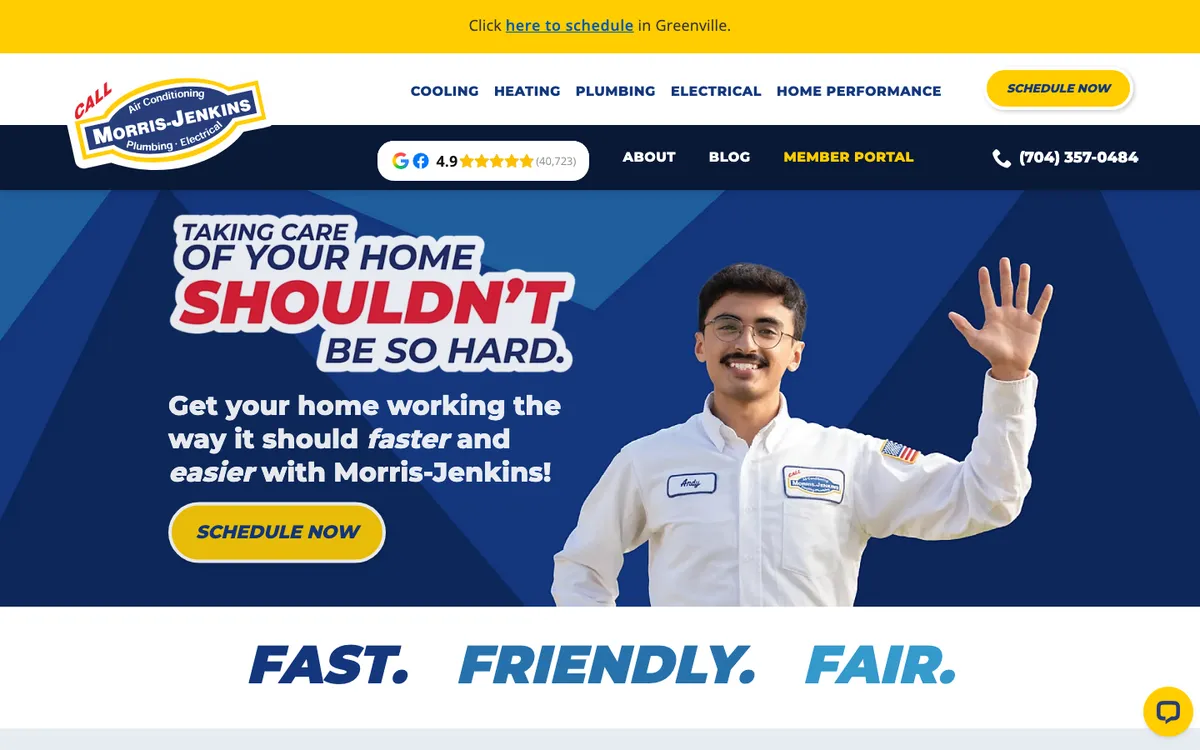
What works: The rating badge (4.9 with 40,723 reviews) sits in the menu bar, and the hero speaks like a person: “Taking care of your home shouldn’t be so hard.” Under the hero, three words do the brand work: “Fast. Friendly. Fair.” The yellow “Schedule Now” button is repeated in the header and the hero.
Copy this: Give your brand a short line customers can repeat. Three words are enough if they match how your techs work.
Hobaica Services (Phoenix, Arizona)
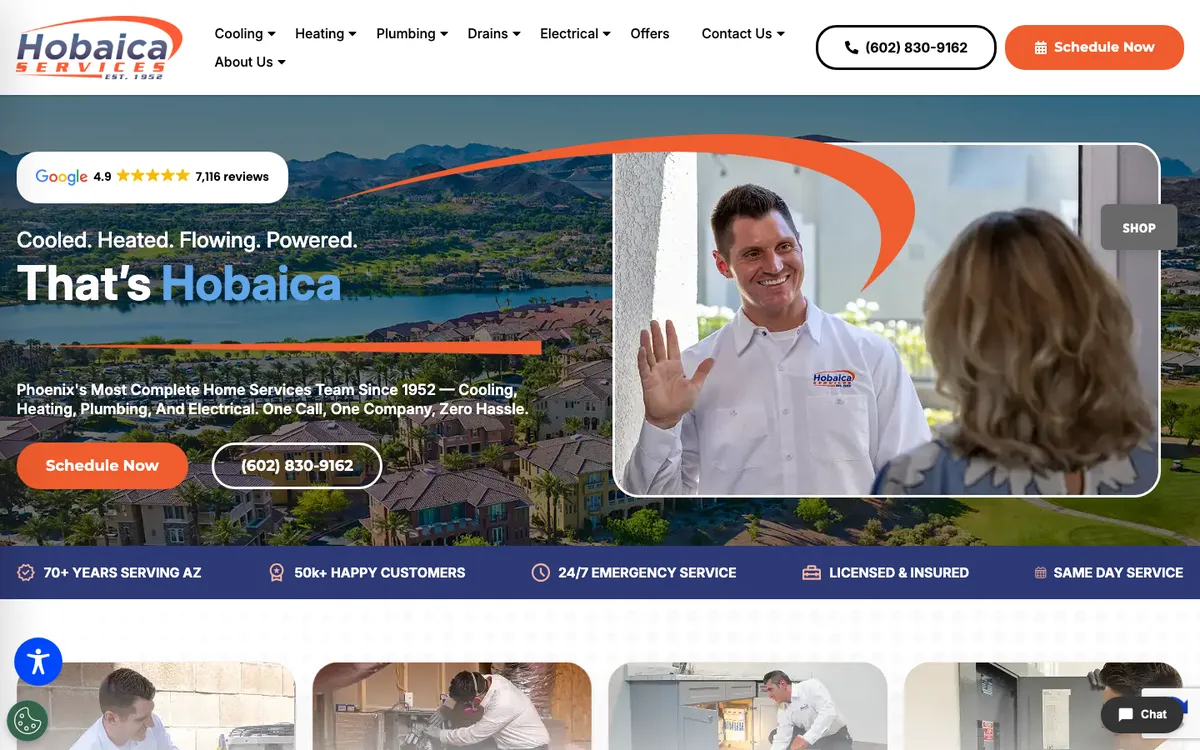
What works: A Google badge (4.9, 7,116 reviews) floats above the headline, and a blue bar under the hero lists five facts: 70+ years serving Arizona, 50k+ happy customers, 24/7 emergency service, licensed and insured, same-day service. The photo shows a tech greeting a customer at the door.
Copy this: One line of five short facts is quicker to read than an about-us page, and every fact can be checked.
Casteel (Marietta and Lawrenceville, Georgia)
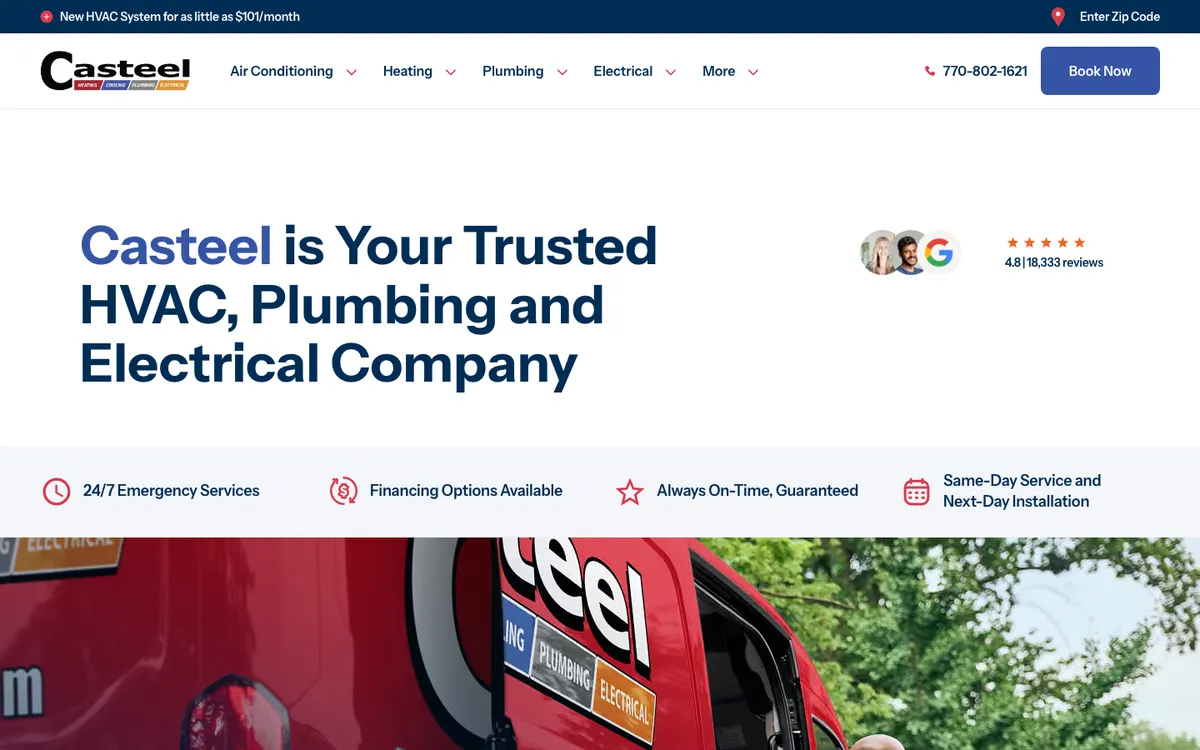
What works: A clean white hero with a plain headline and a 4.8 rating from 18,333 reviews. Under it, four icons give the promises: 24/7 emergency services, financing, “Always On-Time, Guaranteed” and same-day service with next-day installation. The top bar carries the offer (a new system from $101 a month) with the loan terms in the fine print.
Copy this: If you advertise a monthly price, publish the APR and term next to it, like Casteel does. It keeps the offer honest.
Kalos Services (Central Florida)
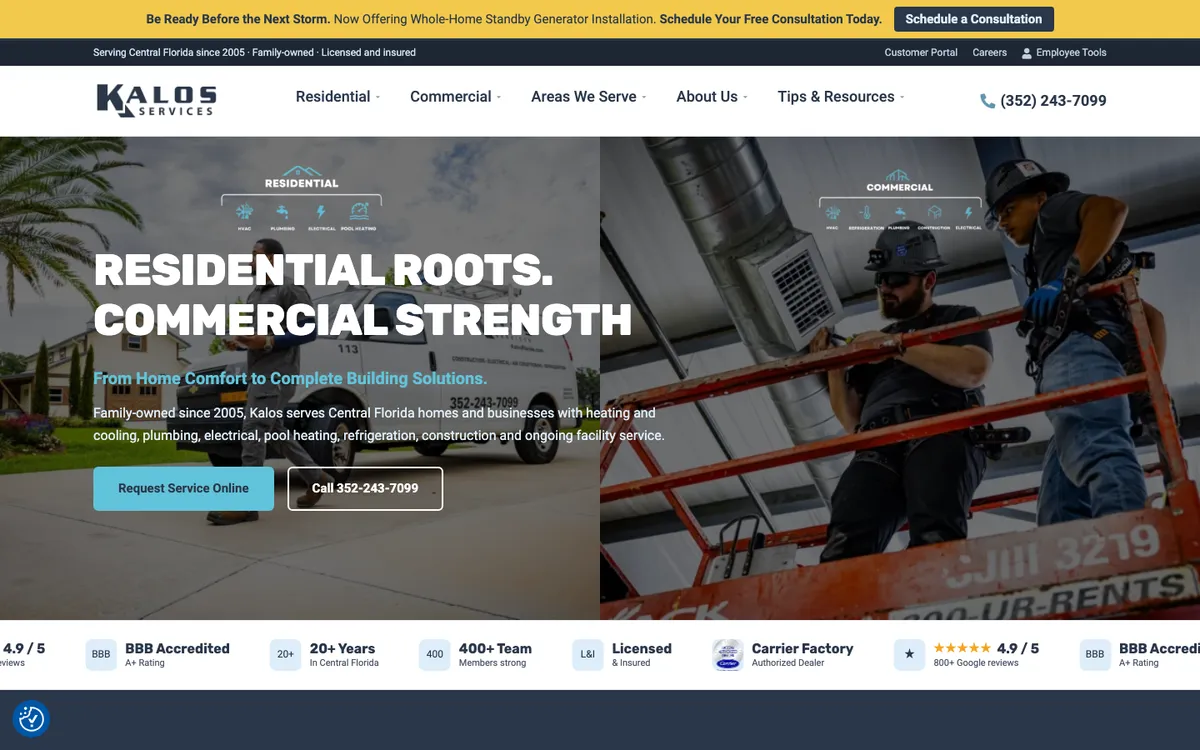
What works: The hero is split in two: residential on the left, commercial on the right, under the line “Residential roots. Commercial strength.” A trust bar along the bottom lists 4.9/5 from 800+ Google reviews, BBB A+, 20+ years, a 400+ person team and Carrier Factory Authorized Dealer.
Copy this: If you serve homes and businesses, split the first screen so each buyer sees their side right away.
Air Assurance (Tulsa, Oklahoma)
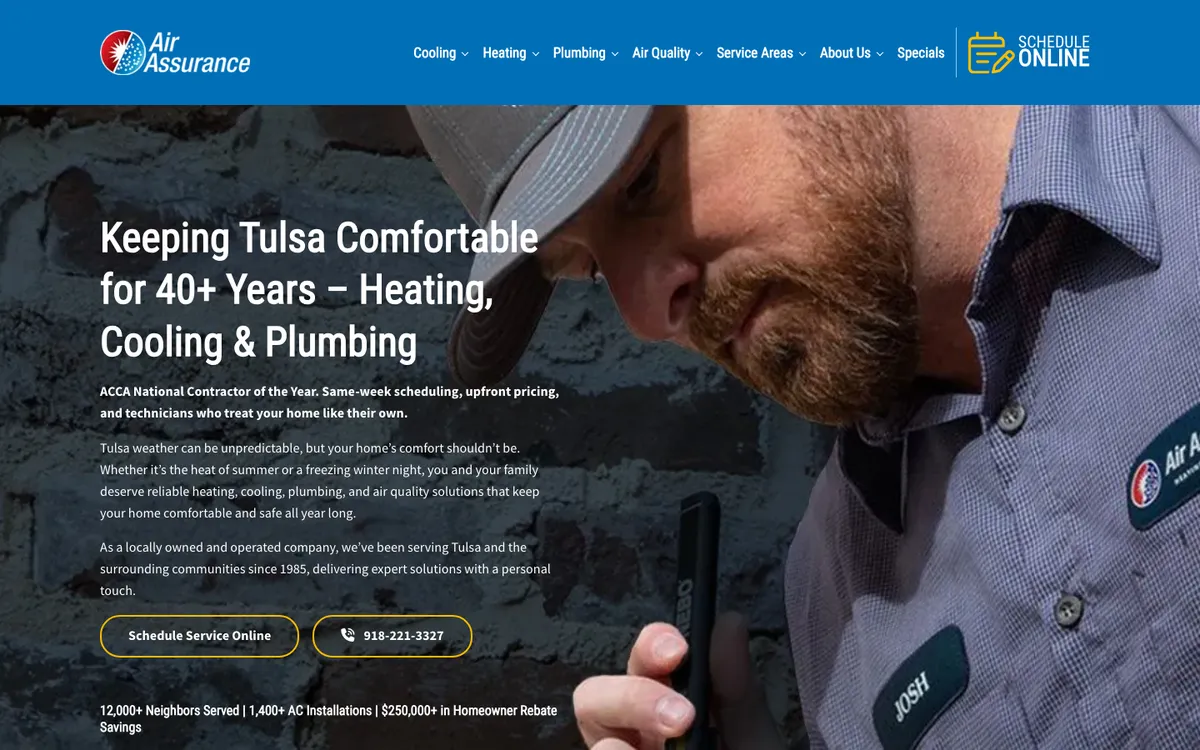
What works: The text under the headline opens with an award (“ACCA National Contractor of the Year”) and then three plain promises: same-week scheduling, upfront pricing, techs who respect your home. A line at the bottom adds hard numbers: “12,000+ Neighbors Served | 1,400+ AC Installations | $250,000+ in Homeowner Rebate Savings”.
Copy this: Count something real (installs, homes served, rebates claimed for customers) and show it on the first screen.
Sites built around one clear promise
These five pick one promise and make it the headline.
Hiller (Tennessee, Alabama, Kentucky and Florida)
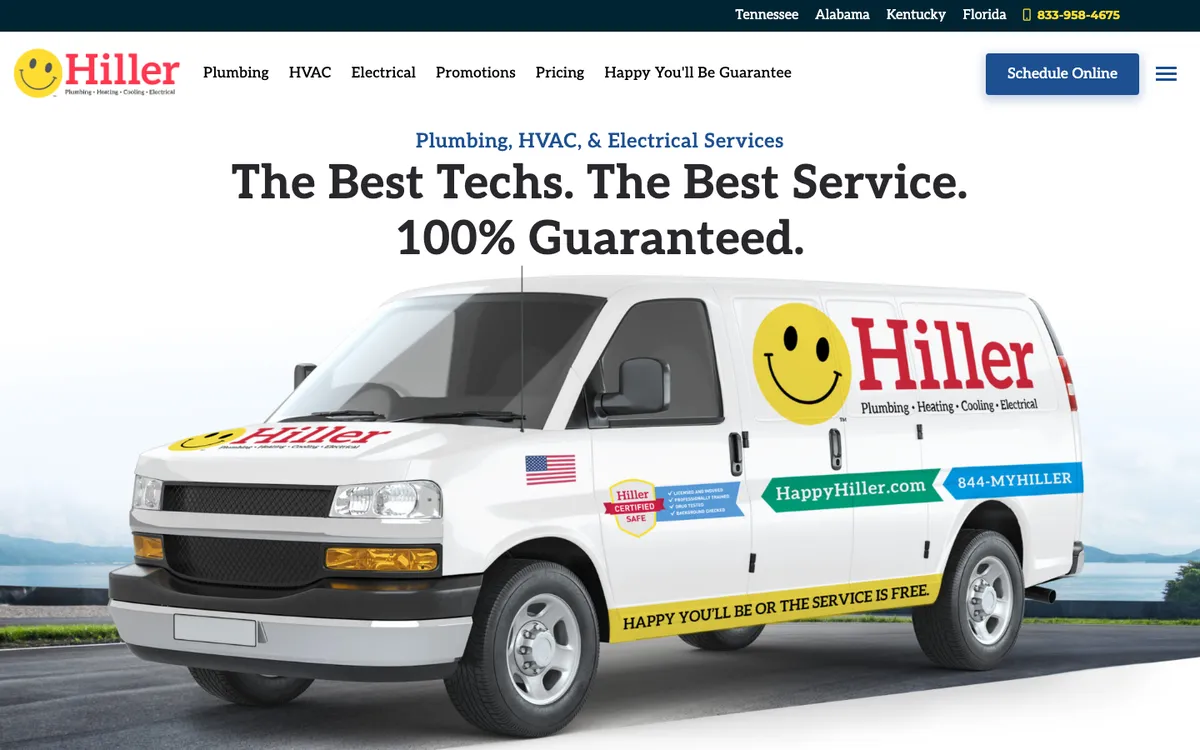
What works: The headline is the guarantee: “The Best Techs. The Best Service. 100% Guaranteed.” The menu links straight to the “Happy You’ll Be Guarantee” page, and the van photo carries the same line: “Happy you’ll be or the service is free”. State links in the top bar route visitors to their region.
Copy this: Name your guarantee and give it its own page in the main menu.
Moore Home Services (Santa Rosa and the North Bay, California)
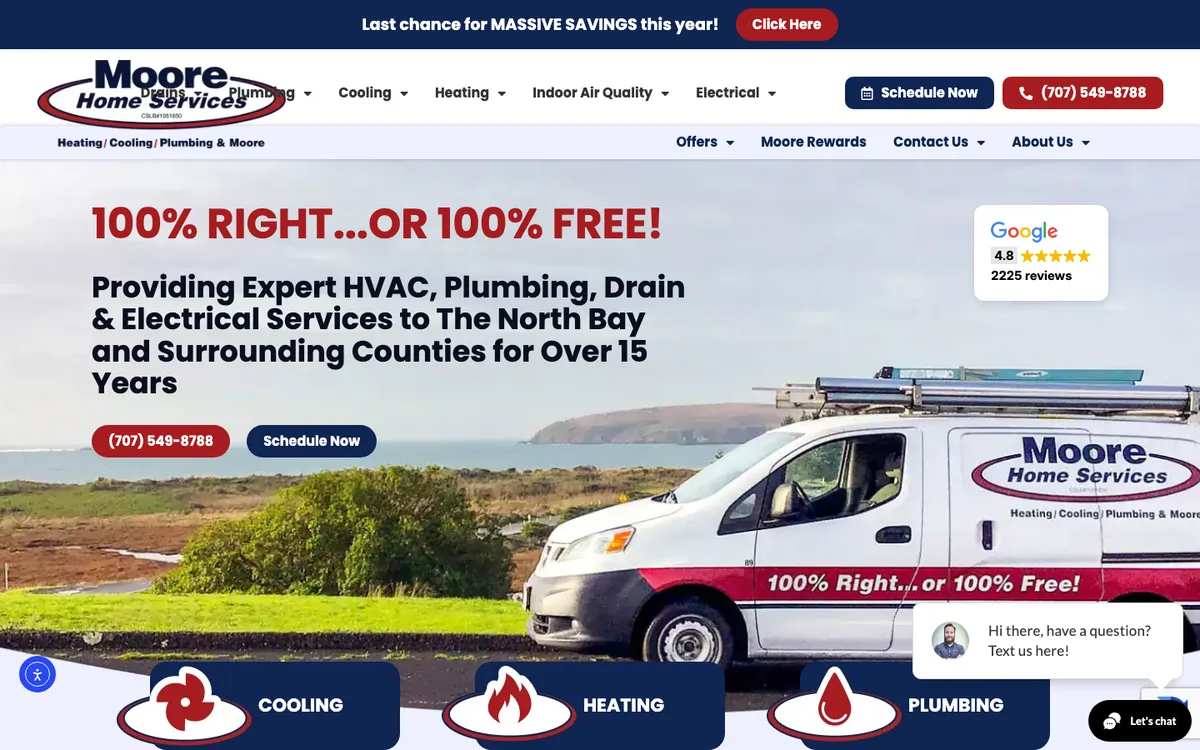
What works: The headline is a guarantee in six words: “100% Right…or 100% Free!” Under it, the subhead names the area (the North Bay) and the time in business. A Google card (4.8, 2,225 reviews) sits on the right, and the same promise is painted on the van in the photo.
Copy this: Make the website, the trucks and the ads say the same promise in the same words.
Parker & Sons (Phoenix and Tucson, Arizona)
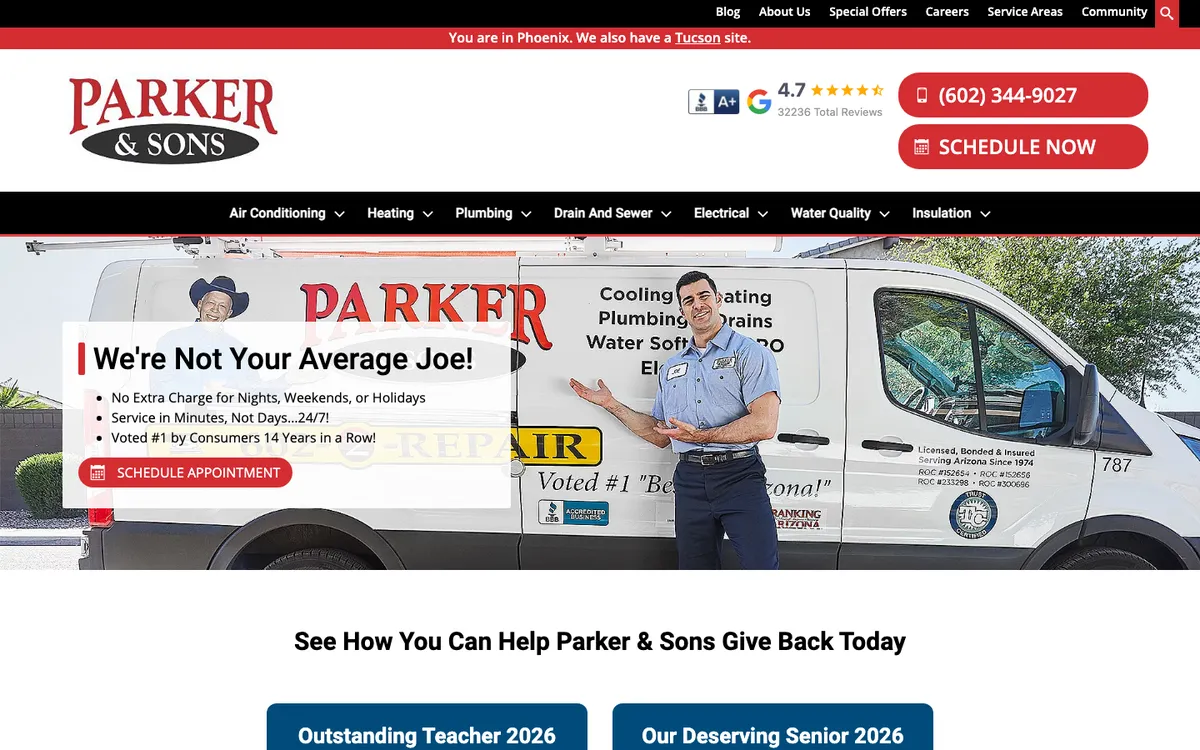
What works: Three bullets beside the headline answer common worries: “No Extra Charge for Nights, Weekends, or Holidays”, “Service in Minutes, Not Days…24/7!” and “Voted #1 by Consumers 14 Years in a Row!” A red bar tells visitors they are on the Phoenix site and links to the Tucson one.
Copy this: List the extra fees you don’t charge. “No extra charge for nights and weekends” answers a question most people are afraid to ask.
Aire Serv (national franchise (Neighborly))
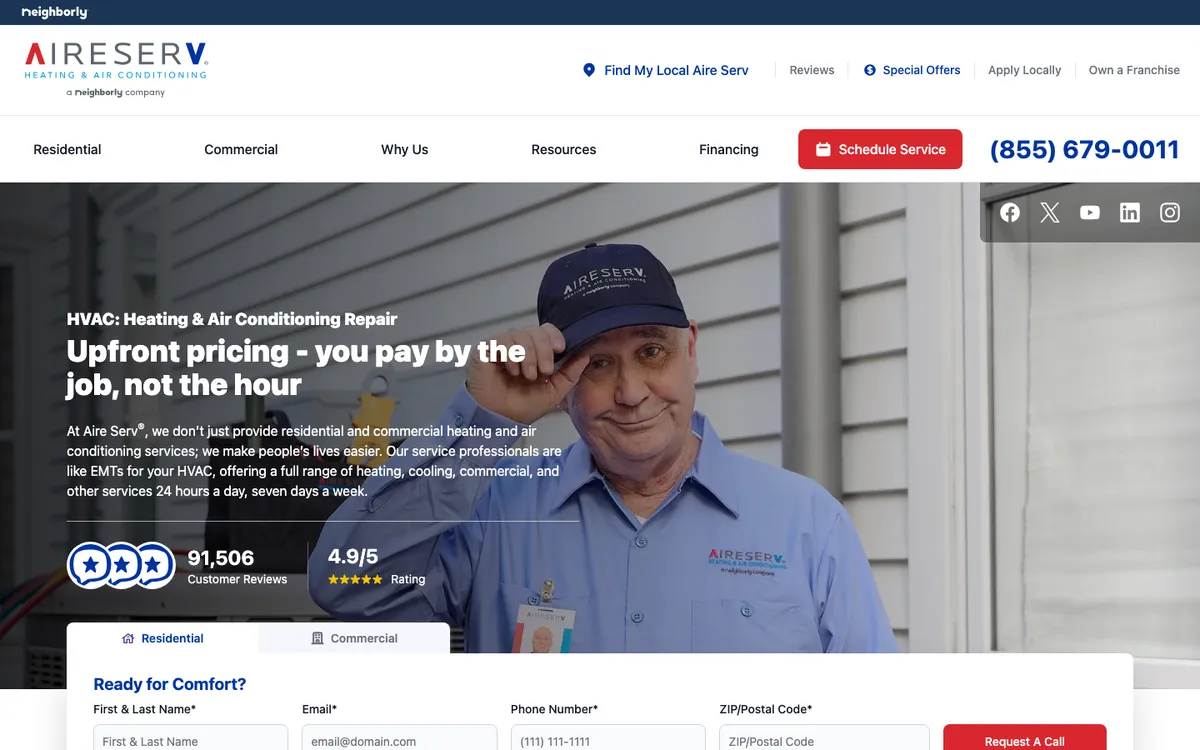
What works: The headline is about pricing, not the company: “Upfront pricing – you pay by the job, not the hour.” The rating (4.9/5 from 91,506 reviews) sits under it, and a request-a-call form with residential and commercial tabs starts in the first screen.
Copy this: If you price by the job, say so in the headline. It is the question every caller has.
BelRed (Seattle, Washington)
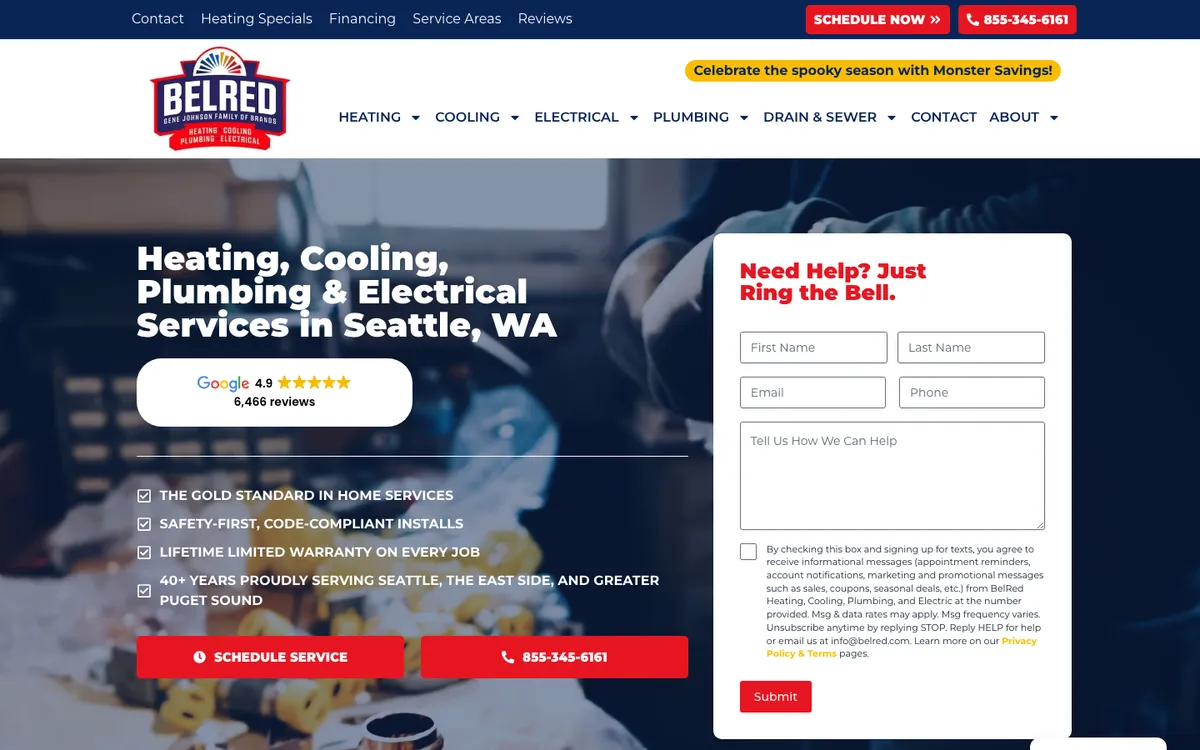
What works: Next to the headline is a form titled “Need Help? Just Ring the Bell.” and four checkmarks, including “Lifetime limited warranty on every job” and 40+ years serving Seattle and the Eastside. A Google badge (4.9, 6,466 reviews) and two big buttons, schedule and call, sit right under the headline.
Copy this: Offer both paths on the first screen: a short form for people who don’t want to call, and a big phone button for people who do.
Sites that sell offers and financing well
These four put a price, a deal or a payment option in the first screen without looking like a coupon book.
Service Champions (Bay Area and Sacramento, California)
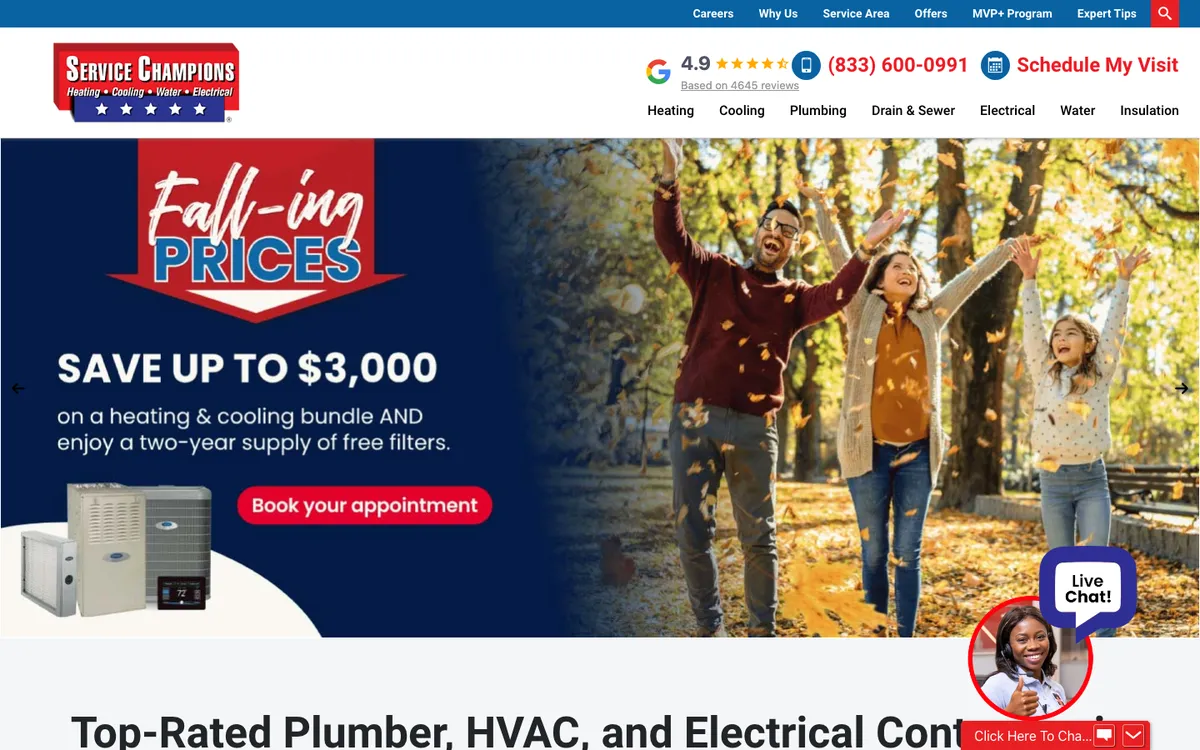
What works: The whole hero is a seasonal campaign: “Fall-ing Prices”, save up to $3,000 on a heating and cooling bundle, one booking button. The header keeps the basics in view: rating (4.9 from 4,645 reviews), phone and “Schedule My Visit”.
Copy this: Swap the hero with the season. In October, homeowners are thinking about their furnace, not their AC.
Frymire Home Services (Dallas, Texas)
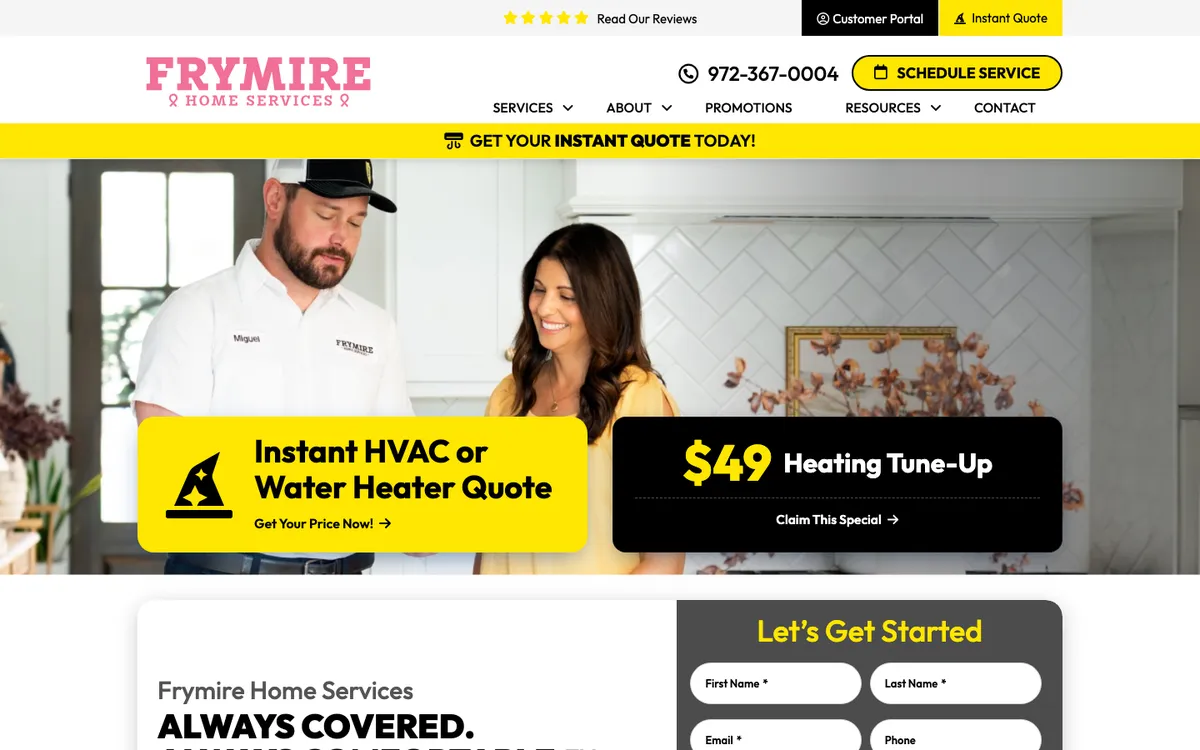
What works: Two blocks sit over the hero photo: a yellow one for an instant HVAC or water heater quote and a black one for a $49 heating tune-up. A yellow bar above the photo repeats “Get your instant quote today!”
Copy this: An online quote tool is a strong first-screen offer for replacement buyers who are not ready to call.
Washington Energy Services (Washington State)
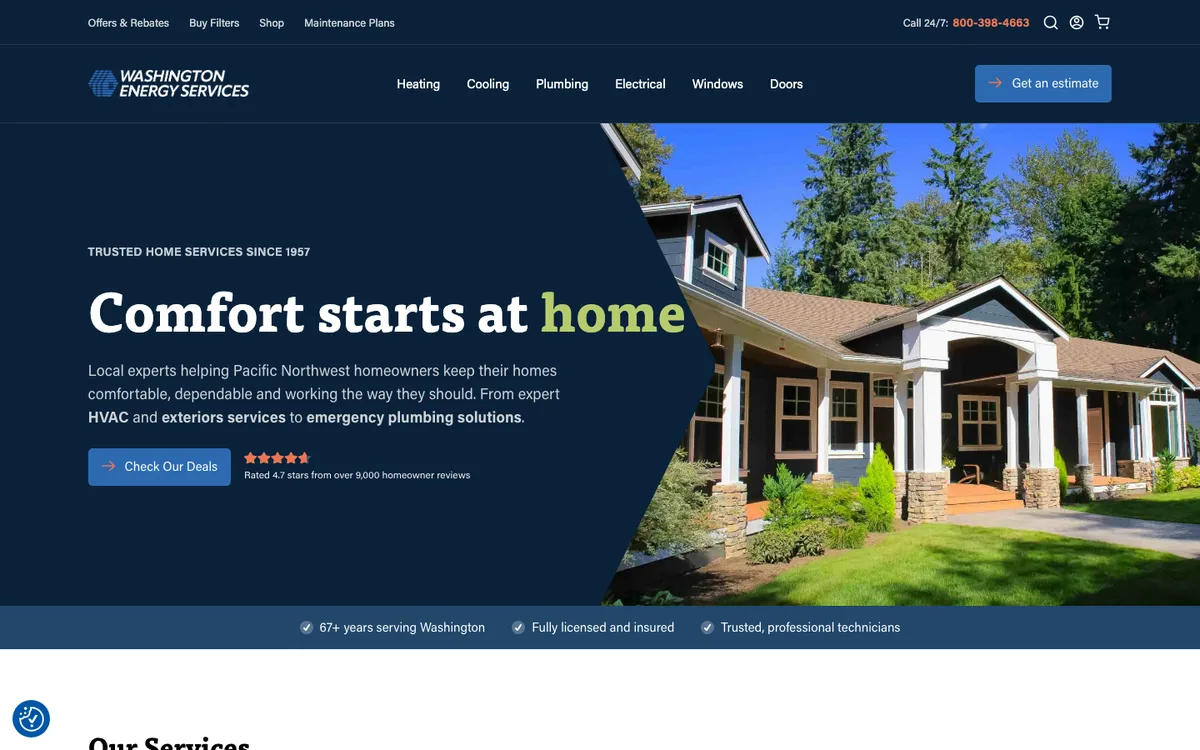
What works: A calm, dark design with one headline (“Comfort starts at home”), one deals button and a rating line: 4.7 stars from over 9,000 homeowner reviews. The top bar adds offers and rebates, a filter shop and maintenance plans.
Copy this: You can promote deals without shouting. One “check our deals” button and a rebates link can do the job.
Air Pros USA (Coral Springs and South Florida)
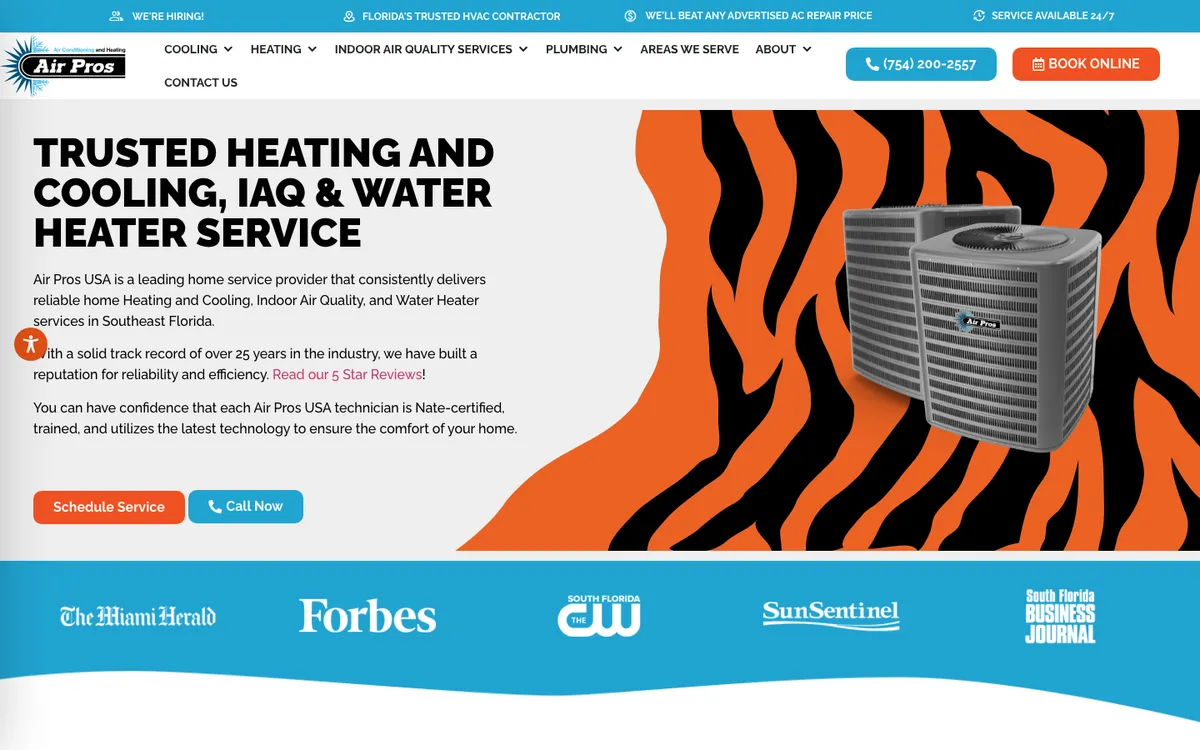
What works: The top bar makes a price promise (“We’ll beat any advertised AC repair price”) next to “Service available 24/7”. Under the hero, a row of media logos (Miami Herald, Forbes, Sun Sentinel and others) adds outside proof.
Copy this: If local media has covered your company, a row of their logos is quick proof. Only use outlets that really covered you.
Sites that feel local, even with many locations
These five make it obvious, in the first few seconds, where they work.
George Brazil (Phoenix, Arizona)
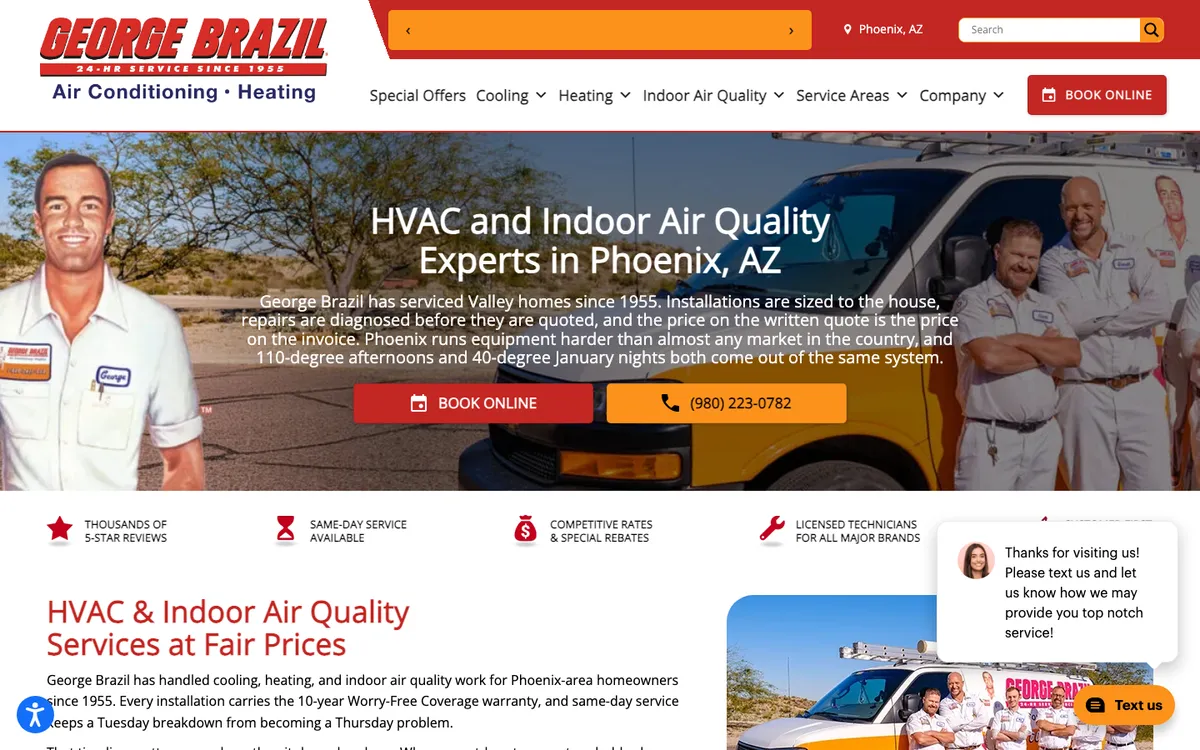
What works: The hero copy could only be about Phoenix: it talks about 110-degree afternoons and 40-degree January nights, and explains how the company works (“the price on the written quote is the price on the invoice”). It also names the 10-year warranty right below.
Copy this: Write one paragraph about your weather and what it does to equipment. It shows homeowners you know their town, and it names your area in plain words instead of a list of cities.
Ambient Edge (Kingman, Arizona and Las Vegas, Nevada)
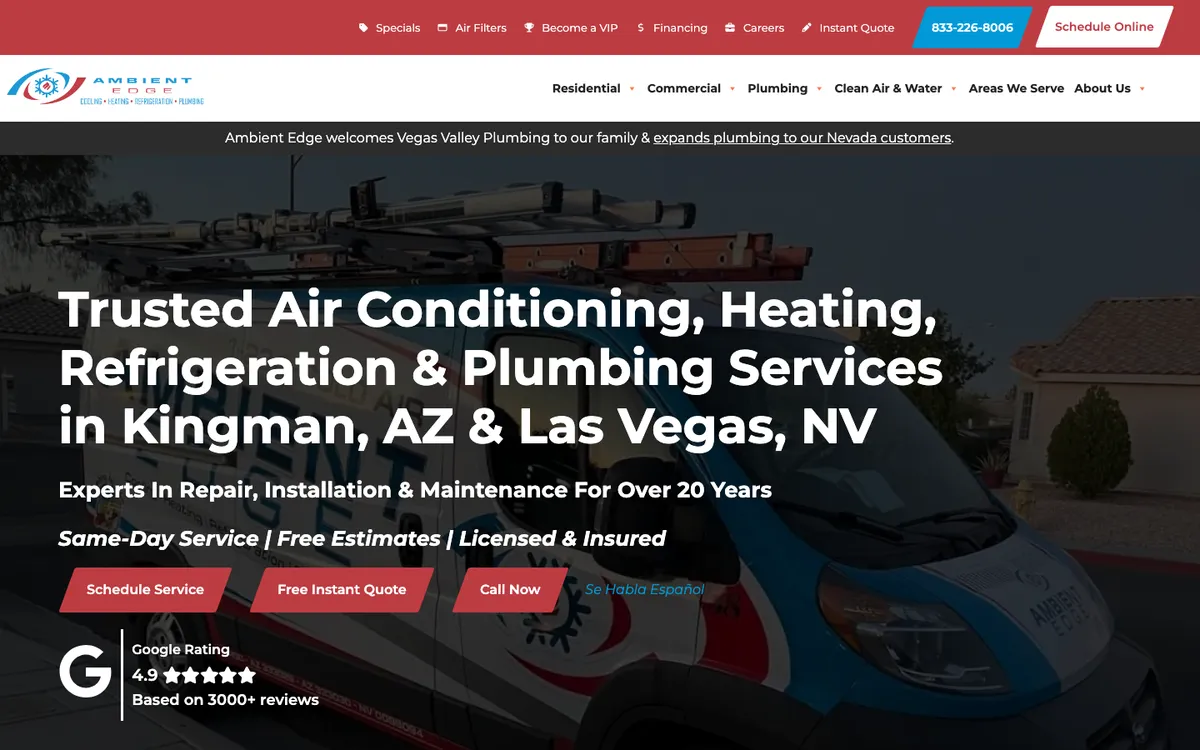
What works: The headline names both markets. Three buttons sit under it: schedule service, a free instant quote and call now, with “Se Habla Español” next to them and a Google rating (4.9, 3,000+ reviews) below.
Copy this: If your crews speak Spanish, say so on the first screen. It is a reason to call you over the next company.
Hoffmann Brothers (St. Louis, Missouri and Nashville, Tennessee)
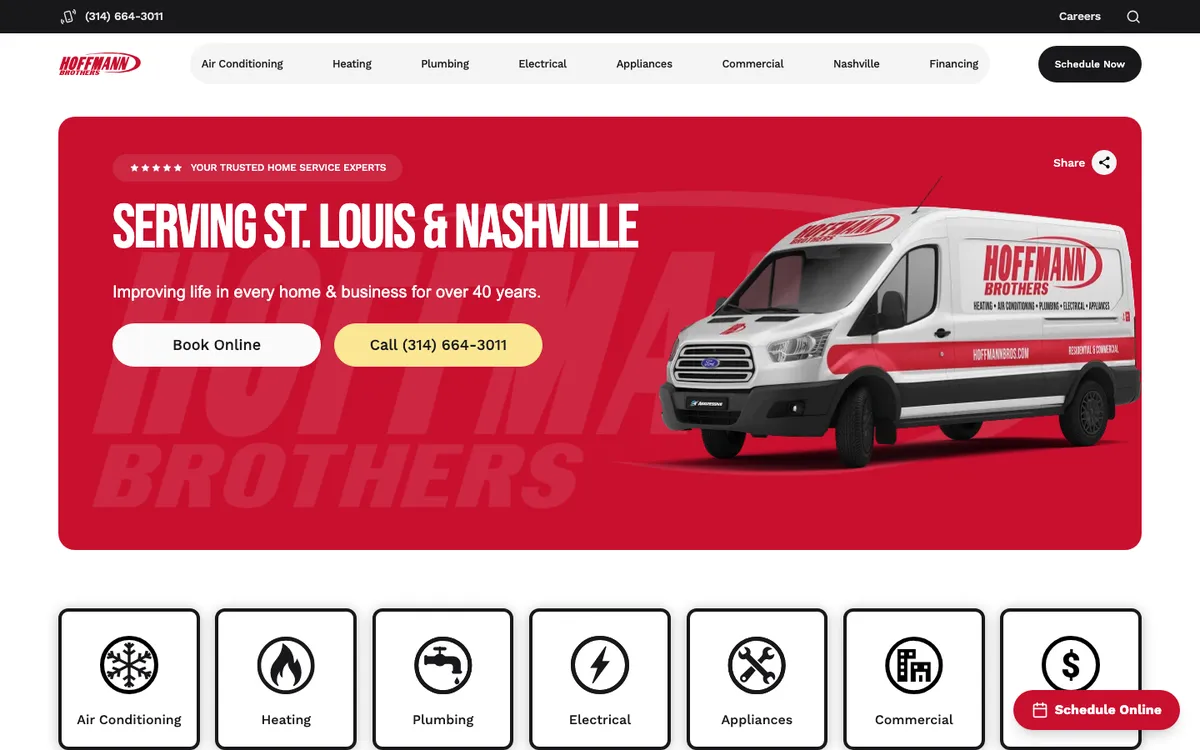
What works: The headline is just the two cities: “Serving St. Louis & Nashville”. Under the red hero card is a row of big icon tiles (air conditioning, heating, plumbing, electrical, appliances, commercial, financing), so visitors pick a service with one click.
Copy this: Large service tiles under the hero work better on a phone than a long dropdown menu.
Del-Air (Central Florida)
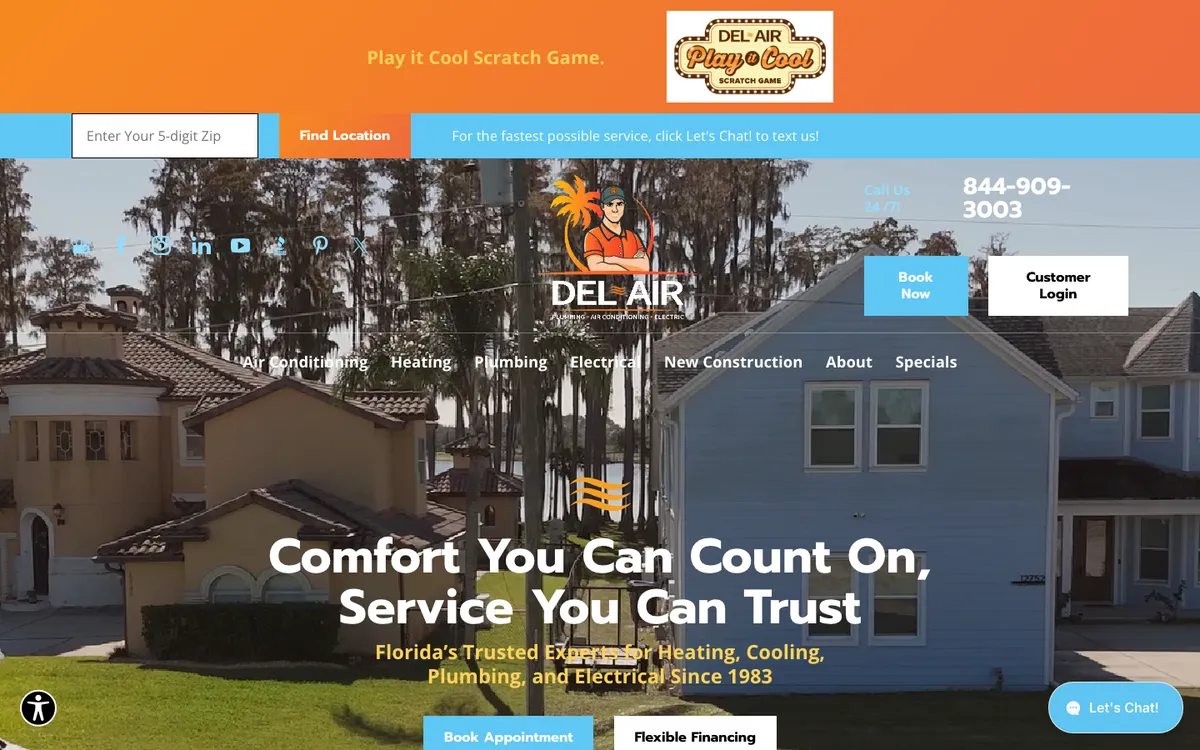
What works: A zip code box sits at the very top, and the blue bar next to it says “For the fastest possible service, click Let’s Chat! to text us!” The hero adds “Book Now”, “Book Appointment” and “Flexible Financing” buttons.
Copy this: Many people would rather text than call. If you answer texts, invite them in the first screen.
Michael & Son (Virginia, Maryland, the Carolinas and DC)
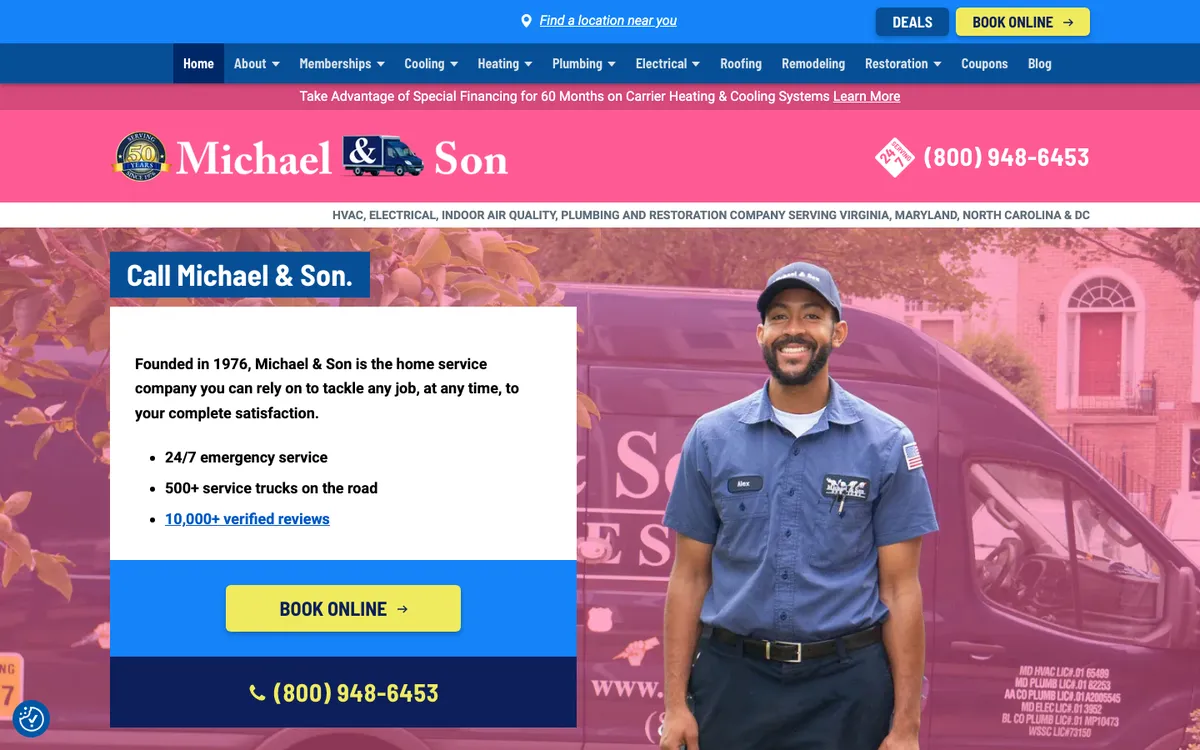
What works: A location finder in the top bar lists 14 local offices. The hero is a white card: founded in 1976, 24/7 emergency service, 500+ service trucks, a link to 10,000+ verified reviews, then a yellow “Book Online” button and the phone number. A pink bar promotes 60-month financing on Carrier systems.
Copy this: When you grow into new cities, add a location picker so every visitor lands on their nearest office.
Sites with a strong brand and history
These four turn years in business and a recognizable look into a reason to trust them.
John C. Flood (Northern Virginia, Maryland and Washington, DC)
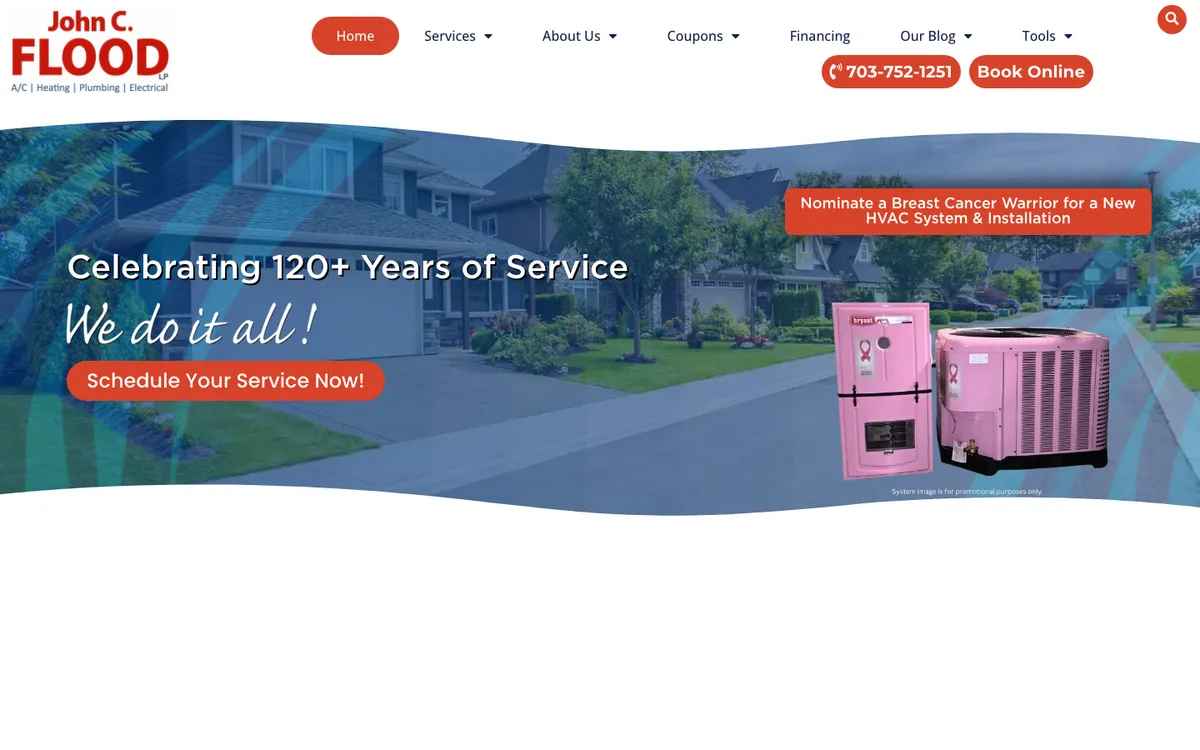
What works: The hero celebrates “120+ Years of Service” with a hand-lettered “We do it all!” and one button. The header keeps “Book Online” and the phone number in two pill buttons, and a seasonal community campaign sits on the right.
Copy this: If you have been around for decades, put the number in the hero. Age is proof that a startup can’t buy.
Coolray (Metro Atlanta, Georgia and Tennessee)
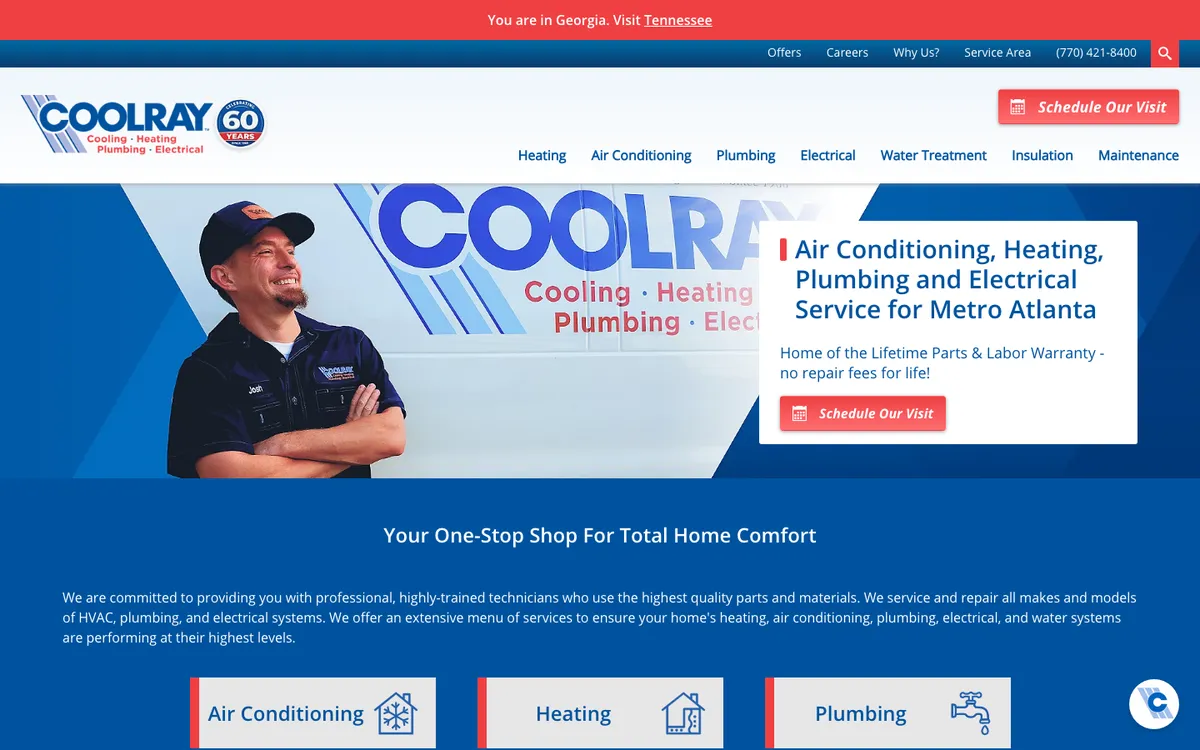
What works: The logo carries a 60-year badge, the headline names Metro Atlanta, and the hero card promises a “Lifetime Parts & Labor Warranty – no repair fees for life!” A red bar tells visitors they are on the Georgia site and links to Tennessee.
Copy this: A lifetime warranty is a headline, not a footnote. If you offer one, put it next to the button.
Lindstrom Air Conditioning & Plumbing (South Florida)
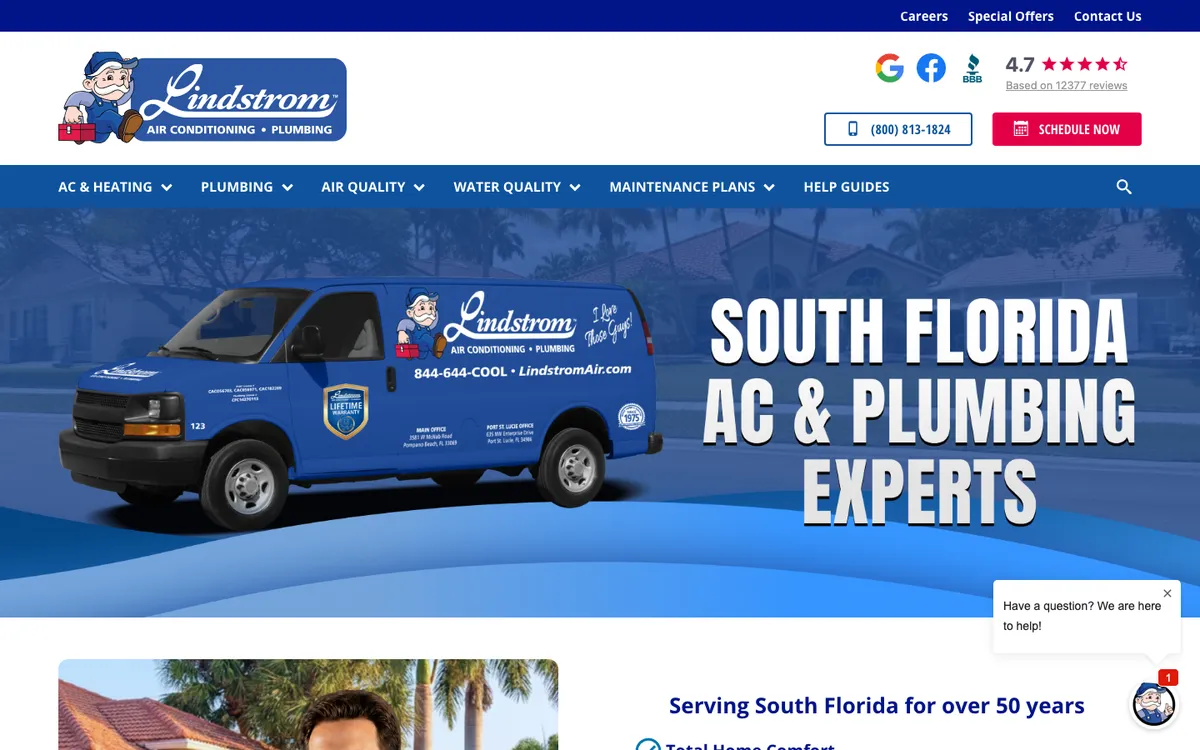
What works: The van and mascot are the hero, next to “South Florida AC & Plumbing Experts” and “Serving South Florida for over 50 years.” The menu has a “Help Guides” tab, and the header shows Google, Facebook and BBB icons with a 4.7 rating from 12,377 reviews.
Copy this: A “Help Guides” tab in the main menu gives people who are not ready to book a reason to stay on your site.
Jon Wayne Service Company (San Antonio, Texas)
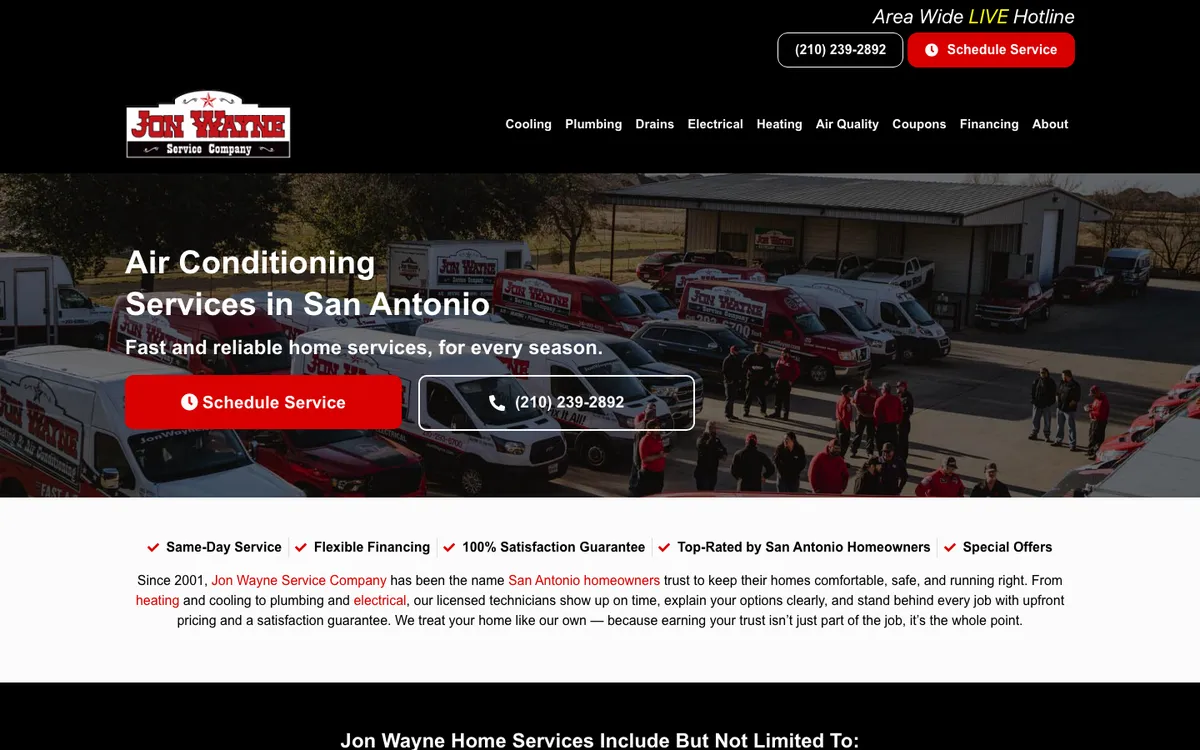
What works: A team photo in front of the red trucks, a short headline for San Antonio and two buttons. Under the hero, one line of checkmarks covers same-day service, financing, a satisfaction guarantee, top ratings in San Antonio and special offers.
Copy this: A team photo of your real crew in front of your trucks tells people who will show up.
HVAC website checklist: what to put on your homepage
Here is what the 30 sites have in common, turned into a checklist. Use it to review your own homepage, or to brief a designer.
| Element | Why it matters | Good example above |
|---|---|---|
| Phone number in the header, tap-to-call on phones | People with no heat or no AC want to talk to someone now | BelRed, Day & Night |
| One booking button, repeated in header and hero | Lets people book at night and on weekends without calling | Haller, Morris-Jenkins |
| Rating with the number of reviews | A number like “4.9 from 7,116 reviews” can be checked; “top rated” can’t | One Hour, Hobaica |
| City or region in the headline | Tells visitors and Google where you work | Hoffmann Brothers, Ambient Edge |
| One clear promise | A guarantee, response time or pricing rule gives a reason to pick you | Moore, Aire Serv, Atlas Butler |
| Real photos of your techs and trucks | Homeowners want to see who will come to the door | Jon Wayne, Morris-Jenkins |
| Short trust bar | Years in business, licenses, warranty and same-day service in one line | Kalos, Casteel |
| Seasonal offer or financing | Gives replacement shoppers a reason to act now | Service Champions, Michael & Son |
| A text or chat option | Some people won’t call but will text | Del-Air, Fuse Service |
How to fix your own HVAC website, step by step
You don’t need a new website to use most of these ideas. Start with the first screen, because that is all many visitors see before they call or leave.
- Open your homepage on your phone. Can you call and book without scrolling? Does the call button stay on screen when you scroll? On 27 of the 29 sites we tested on a phone, it did.
- Rewrite the headline. Name your city or region and one promise. “AC repair in Tulsa, same-week scheduling” beats “Your comfort is our priority”.
- Add proof next to the headline. Your Google rating with the review count, your years in business, your warranty. Only use numbers that are true today and that you can show.
- Replace stock photos. Take photos of your techs, your trucks and real jobs. Several sites above use the same van in the photo that customers see in their driveway.
- Connect online booking to your field software. ServiceTitan, Housecall Pro and Jobber all offer booking that sends the job into your schedule, so nobody retypes it.
- Give each main service and each main city its own page. Start with the jobs you most want: AC repair, furnace repair, AC replacement, furnace or heat pump replacement, financing, then your main city and the two or three towns you get the most jobs from. Each page needs something only you can say: photos of local jobs, reviews from that area, real prices or financing terms, and a button that matches the job. Skip copy-paste city pages that only swap the town name; they don’t help customers and rarely rank. Our local SEO guide for HVAC companies covers how to set these up.
- Change the hero with the season. AC tune-ups in spring, furnace offers in fall, like Service Champions does.
If you lose replacement jobs to bigger brands, start here
- A separate button for a new system estimate, like Reliable’s “new system estimate”, so replacement shoppers don’t land in the repair queue.
- Financing in plain numbers next to that button, with the APR and term in the fine print (Casteel does this).
- A replacement page with photos of your own installs, the brands you install, your warranty and what happens after someone asks for a quote.
- A promise about speed for estimates, written under the form, like Fuse’s “We call back within 30 min”. Only promise a time your office can keep.
Templates vs. a custom HVAC website
A template is fine for a new or small company, as long as you change the parts that make it look like everyone else: real photos, your own headline, your rating and your service area. Most of the 30 sites above are custom builds, but what makes them work (a clear headline, proof and an easy way to book) can be done on a template too. What a template can’t fix is thin content: one page that lists “heating, cooling, plumbing” won’t rank for “furnace repair in [your city]”.
The technical basics
- Speed: Google’s Core Web Vitals call a page “good” when its main content loads within 2.5 seconds, it responds to taps in 200 milliseconds or less and its layout shift score is 0.1 or less, measured at the 75th percentile of visits on mobile and desktop (web.dev). Hero videos and image sliders add weight to the first screen, so test your homepage after adding one.
- Structured data: LocalBusiness markup lets you tell Google your address, hours and other details (Google Search Central), and schema.org has a specific type for HVAC companies, HVACBusiness.
- Tracking: count website calls, online bookings and estimate requests separately, then follow them into your field software to booked jobs and sold systems. Judge a redesign on booked and sold jobs, not on form fills.
If you would rather have someone build or rebuild it, our website design team builds sites for contractors, and our HVAC marketing page explains how the website fits with SEO and ads.
Plus one free tool from us: once the site is live, you need posts that send people to it. We built a free HVAC social media post generator that writes ready-to-post captions for heating and cooling companies. It is free, and there are versions for 21 trades on our free tools page.
How we picked these 30 sites
We started with 86 candidate websites of US heating and air conditioning companies: franchises, large regional companies and local shops. We opened each one on October 23, 2026 and dropped any that were parked or for sale, were not HVAC contractors, blocked our browser, or covered the page with a pop-up we could only close by accepting tracking. From the rest we picked 30 that each do at least one thing well on the first screen, and spread them across regions and company sizes. Screenshots were taken the same day. Ratings, offers and promises are quoted as the sites showed them that day and will change. We have no business relationship with any company on this list. For the same kind of breakdown in another trade, see our 25 landscaping website examples.
The bottom line
The sites above look very different, from Washington Energy’s calm dark design to Frymire’s bright offer blocks, but they all answer four questions before the visitor scrolls: can you help me, are you near me, can I trust you, and how do I book. Put your phone number and a booking button in the header, your rating and one promise next to the headline, and real photos of your crew in the hero. Then build out a page for each service and city you want to rank for.
About the sources: every site above was opened on October 23, 2026, and each entry links to it. The counts in the chart are from our own review of the 30 screenshots. Speed thresholds are from web.dev’s Core Web Vitals guide, and structured data details from Google Search Central.